 |
Radical Pie Equation Editor |
An evaluation is an expression followed by a vertical line or a right bracket and one or two limits indicating that the expression should be evaluated either at a particular value or over a specified range. Although it is possible to typeset an evaluation by using a right-only bracket followed by a script, Radical Pie provides special structures for evaluations so that spacing rules can be defined for them independently.
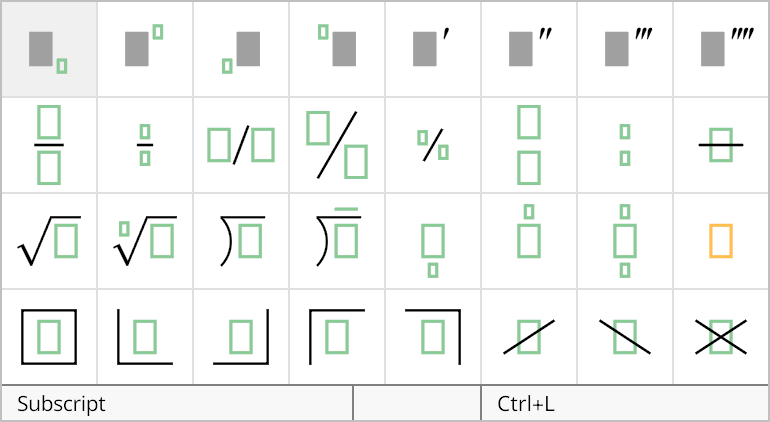
An evaluation can be added to an equation by selecting one of the variations from the fourth row of the structures palette, shown below.
The properties of an evaluation structure can be changed in the Evaluation Properties dialog, shown below. This dialog is opened by selecting Properties... from the Edit menu or typing the shortcut Ctrl+P while the insertion caret is inside the evaluand group or either of the lower or upper limit groups belonging to the evlauation structure.
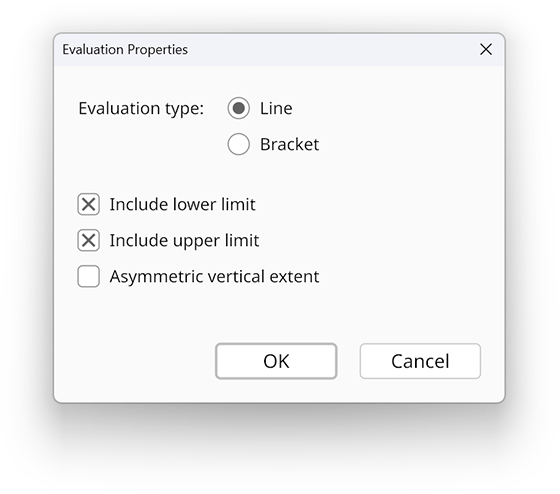
The Evaluation type buttons determine whether a vertical line or a right bracket appears after the expression being evaluated.
The Include lower limit and Include upper limit boxes determine whether lower and upper limit groups are present for the evaluation. It’s possible to show both limits or only one limit, but at least one limit must be included.
By default, the vertical line or bracket symbol is vertically centered on the math axis and extends equally both upward and downward in order to enclose the highest and lowest points of the expression to the left. If the Asymmetric vertical extent box is checked, then the symbol is instead centered at the vertical average of the highest and lowest points, which is usually not the same as the math axis.